Every feature of Sudoku by ANA and Sudoku Pro by ANA, version 2.0. The same text as the Help page in the app (About → Help), at length.
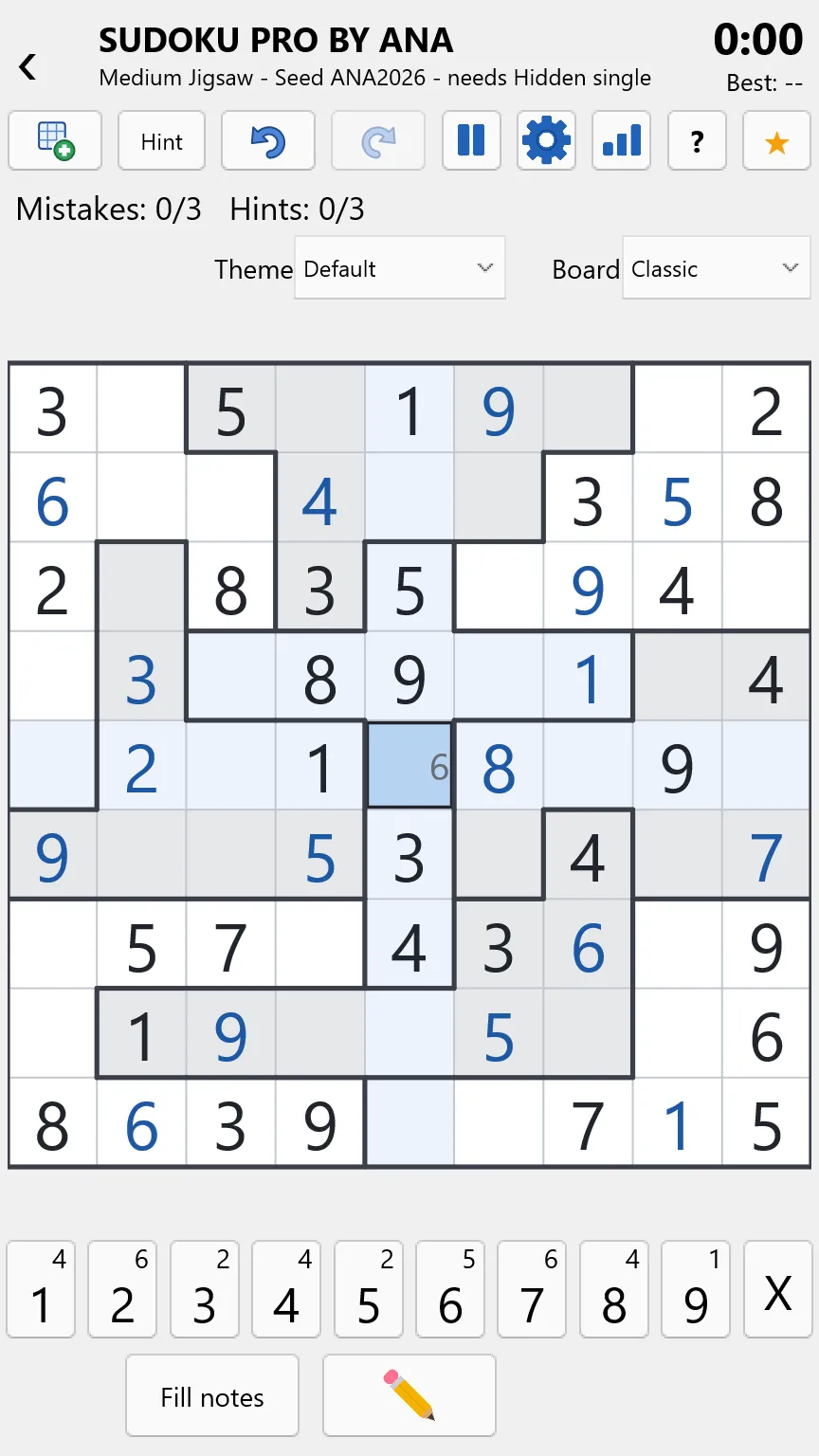
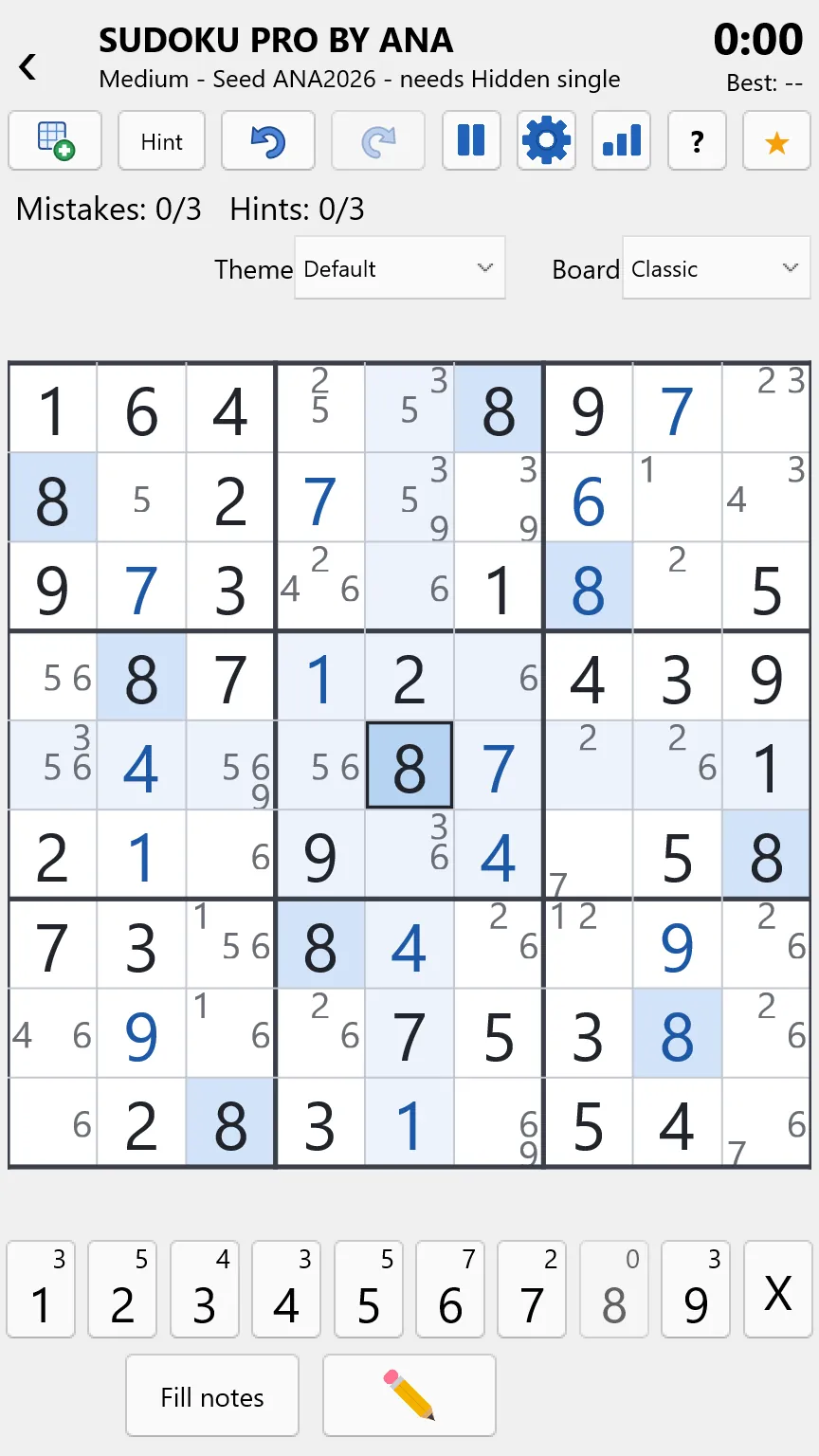
Classic 9x9. Fill every row, every column and every 3x3 box with the digits 1 to 9, each once. The given digits stay; every puzzle has exactly one solution, and every one can be solved by logic alone — no guessing.
Four levels: Easy, Medium, Hard and Expert (Hard and Expert are Pro). The level line under the title names the hardest technique the puzzle needs (needs Hidden single).
Pro adds:
| Puzzle | The rule |
|---|---|
| 16x16 | Sixteen symbols, 0–9 and A–F, in every row, column and 4x4 box. Pinch or turn the mouse wheel to zoom; drag to move. |
| Diagonal | Classic rules, and the two long diagonals also hold 1–9 once each. |
| Hyper | Classic rules, and the four shaded windows also hold 1–9 once each. |
| Killer | Each dashed cage shows a sum; its digits add up to it and never repeat inside the cage. |
| Samurai | Five classic boards sharing their corner boxes. Zoom in to play. |
| Jigsaw | The boxes are irregular regions of nine cells. |
| Mini 6x6 | The digits 1–6 in every row, column and 2x3 box — a quick one. |
| Even-Odd | Classic rules, and every shaded cell holds an even digit (2, 4, 6, 8); every other cell an odd one. Every even cell is shaded. |
| Anti-Knight | Classic rules, and the same digit is never a knight's move apart: two cells one way and one the other. |
| Greater-Than | Classic rules, and inside every box an arrow between each two side-by-side cells points to the smaller digit. |
| Kropki | Classic rules, and dots between neighbors: white joins consecutive digits, black a digit and its double (1 and 2 are black). Every dot is shown, so neighbors with no dot are neither. |
| Kids 4x4 | A first Sudoku: the digits 1–4 in every row, column and 2x2 box. Easy and Medium, with very big cells. |
| 12x12 (a board size) | Classic rules on a board between the two: twelve symbols - 1 to 9, then A, B and C - in every row, column and box, and a box is 3 rows by 4 columns. Pick it in the BOARD row. Pinch to zoom. |
| XV | Classic rules, and marks between neighbors: an X where the two digits sum to 10 (3 and 7), a V where they sum to 5 (1 and 4). Every mark is shown, so neighbors with no mark sum to neither. |
| Consecutive | Classic rules, and a bar between every two neighbors that are consecutive (4 and 5). Every bar is shown, so neighbors with no bar are not consecutive. |
| Non-Consecutive | Classic rules, and one more: two cells side by side (left and right, above and below) never hold consecutive digits. No marks. |
| Center Dot | Classic rules, and the nine box centers (shaded) hold 1 to 9 too. |
| Asterisk | Classic rules, and nine shaded cells in an asterisk, one in each box, hold 1 to 9 too. |
| Girandola | Classic rules, and nine shaded cells in a pinwheel - the corners, the middle and four around it - hold 1 to 9 too. |
| Twodoku | Two classic boards sharing one corner box: the first board's bottom-right box is the second's top-left. |
| Butterfly | Four classic boards overlapping in a 12x12 square, each three cells from its neighbors; a middle cell is in all four. Zoom in to play. |
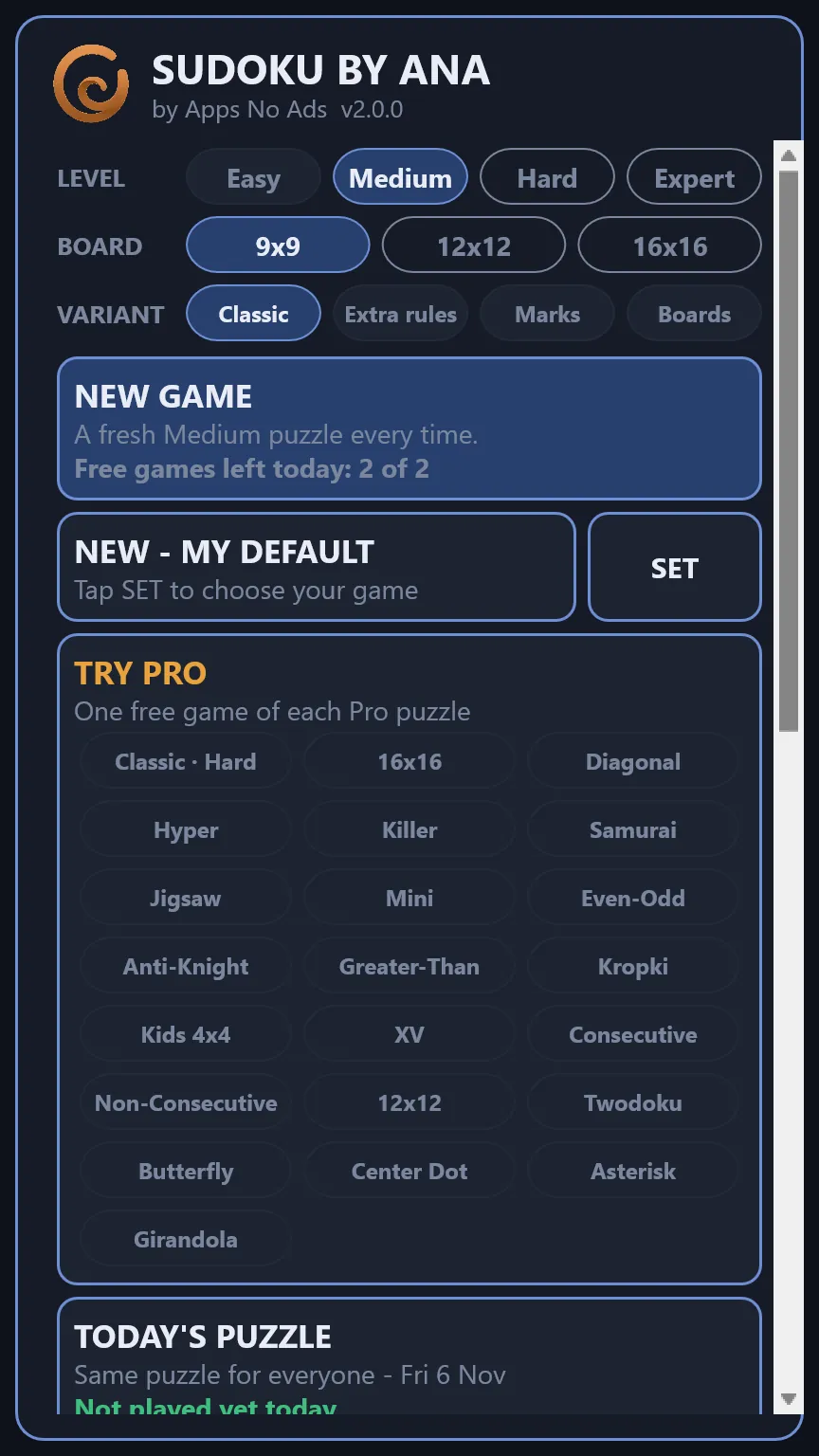
Choosing a variant. The VARIANT row has four groups - Classic, Extra rules (Diagonal, Hyper, Anti-Knight, Non-Consecutive, Center Dot, Asterisk, Girandola), Marks (Killer, Even-Odd, Greater-Than, Kropki, XV, Consecutive) and Boards (Samurai, Jigsaw, Mini, Kids 4x4, Twodoku, Butterfly). The BOARD row has 9x9, 12x12 and 16x16. Symbols (Pro): Settings can draw every board in digits, letters or shapes - nine shapes, each its own shape and color.
The free edition can play one game of each Pro puzzle (TRY PRO on the start panel): Classic at Hard, the others at Medium.
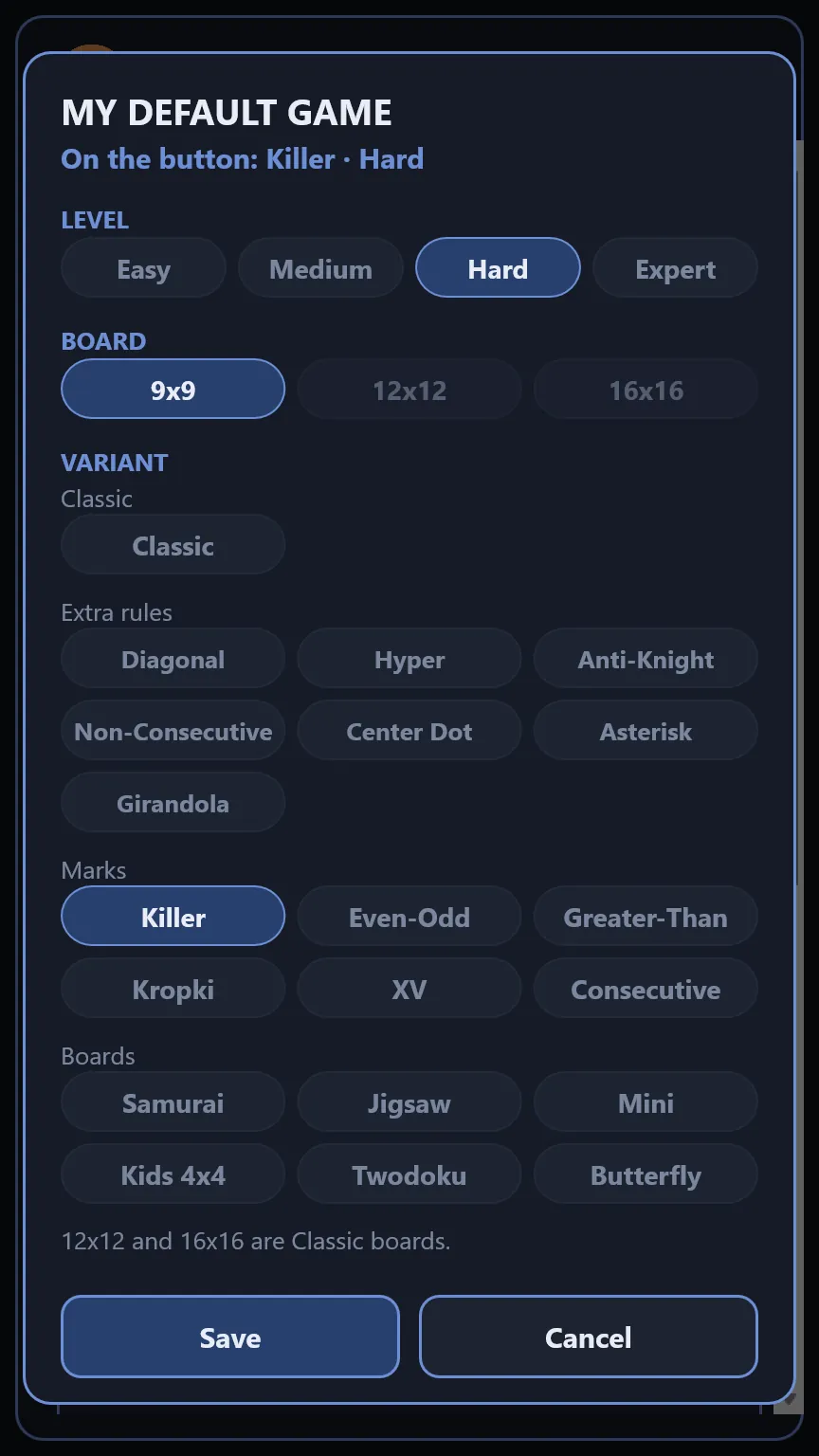
Right under NEW GAME, NEW - MY DEFAULT deals the kind of game you like in one tap; its second line names it (Killer · Hard, Classic 16x16 · Expert). SET beside it chooses that kind: a level, a board and a variant, in the start page's groups. Only real combinations can be picked: with a variant other than Classic, 12x12 and 16x16 are grayed, and Kids 4x4 has Easy and Medium only; a line says why. Save keeps it, Cancel or Esc leaves it. Until you save one it deals Classic 9x9 · Medium. Your default is separate from the start page's own pickers, which remember the last kind you picked; Start a game right away deals your default. Free shows Pro's choices locked and can save Classic 9x9 at Easy or Medium. On a computer: Ctrl+Shift+N (Cmd+Shift+N on a Mac).
TODAY'S PUZZLE is the same puzzle for everyone, for each level and board, every day. In Pro, picking a variant pill turns it into that variant's daily — TODAY'S KILLER, TODAY'S JIGSAW and so on. Solving a daily on consecutive days builds your day streak (any daily counts).
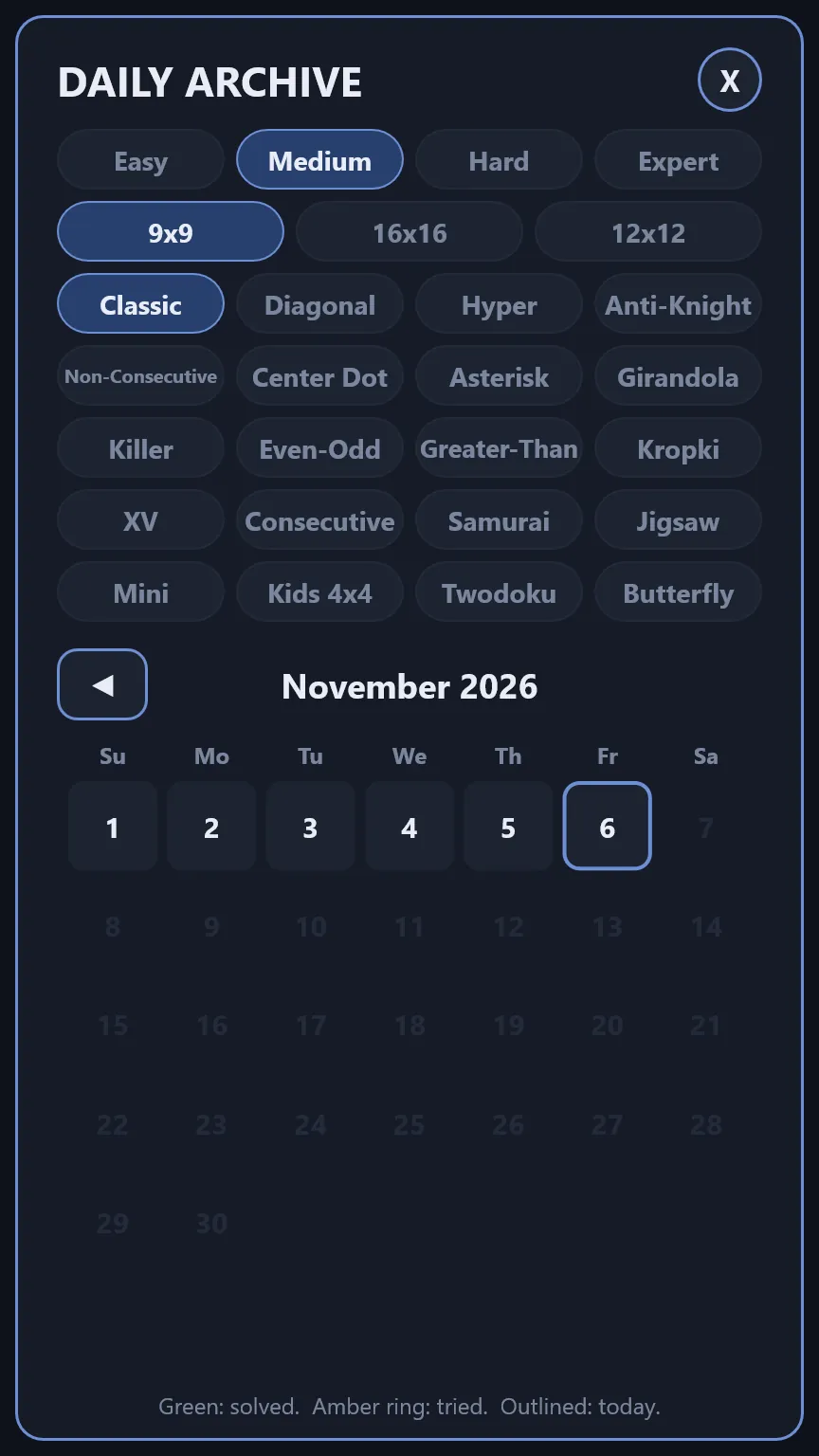
The daily archive (Pro) shows a month of dailies per level, board and variant: green solved, an amber ring tried, the outline today. Tap a day to play it (a replay never counts toward the streak).
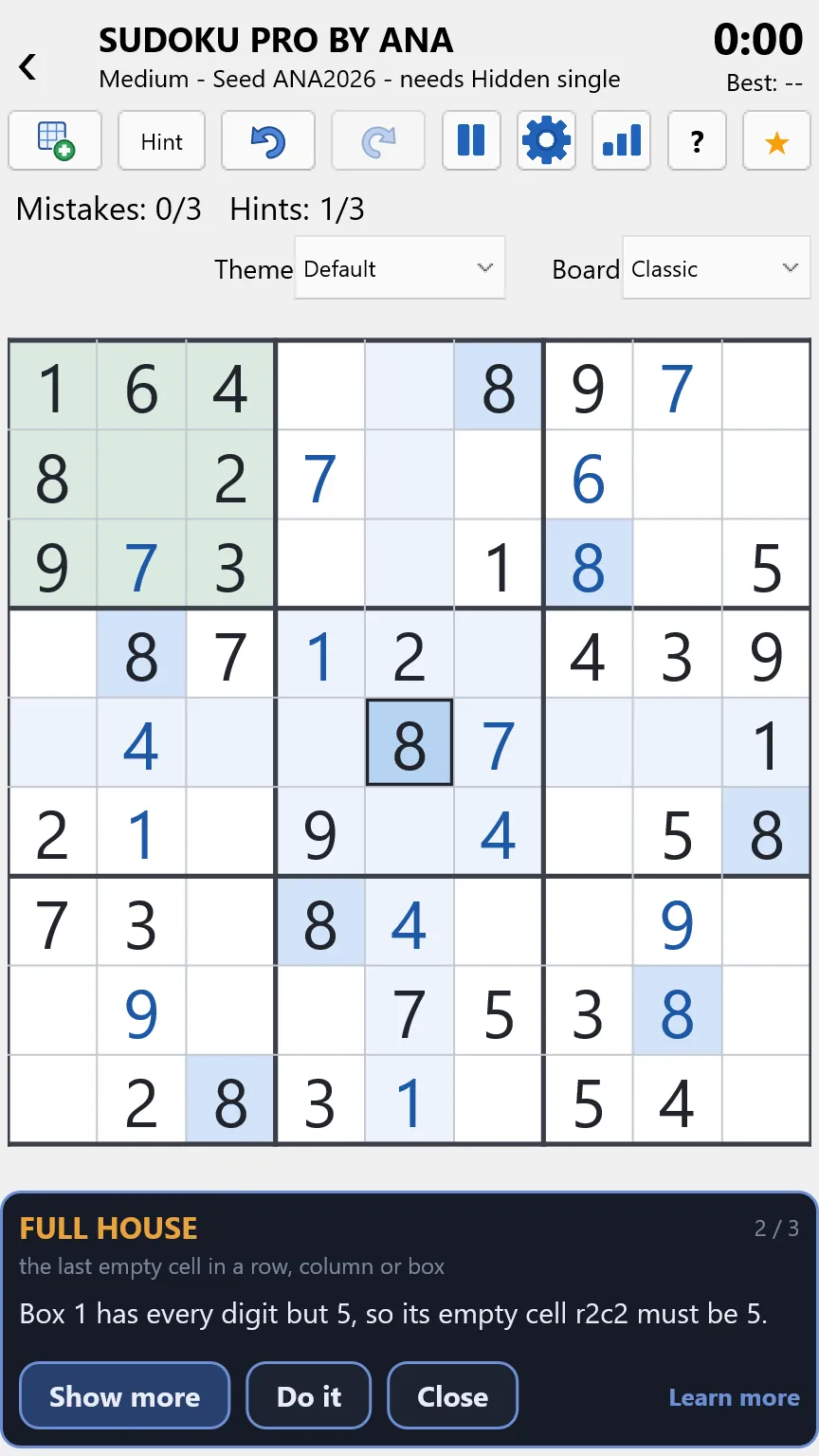
Hint shows the next logical step in three stages: a nudge (where to look), the reasoning (why), then the move. Do it places it. A hint counts once, however far you read. The panel's Learn more opens TECHNIQUES: every step the hints use, with an example board, including Even and odd, Knight's move, Arrows and Dots drawn with their marks.
LESSONS practice one technique at a time on three puzzles each — Naked Single, Hidden Single, Pointing and Claiming in the free edition; pairs, triples and beyond in Pro. Pro also has three Kids 4x4 lessons (Rows, Boxes, Look across and down): a picture first, a few words, then three small puzzles. The first-run guide (About → Show the guide) walks through a first game.
Collections (Pro): Symmetry, Extreme and the Weekend Challenge, and graded ones: Killer and Jigsaw have 50 a level, Diagonal and Hyper 30, and Samurai 20; Even-Odd, Anti-Knight, Greater-Than and Kropki have 30 a level, and Kids 4x4 40 at Easy and Medium; XV, Consecutive, Non-Consecutive, Twodoku, Butterfly, Center Dot, Asterisk and Girandola have 30 a level (codes 9I-…). Each puzzle is chosen so that the techniques it needs fit its level; where none could be found, the page says how many need more than the hints teach. On Even-Odd, Anti-Knight, Greater-Than and Kropki the marks hand out the easy placements, so there Hard means a puzzle that needs at least a hidden single. There are also five technique packs of 25 (pairs, triples, X-Wing, Swordfish, XY-Wing), each puzzle needing exactly that technique. A lesson's Practice button opens its pack.
(Pro) Every puzzle has a code: 9M-COFFEE (a 9x9 Medium from the seed COFFEE), 16X-531882, 9M-D20261031 (the Medium daily of 31 October 2026), 9MK-D20261031 (that day's Killer daily), 9S-M-017 (a Symmetry collection puzzle). Share code sends one; typing a code into CUSTOM GAME deals the same puzzle anywhere, on any device. A code shared today deals the same puzzle in every later version.
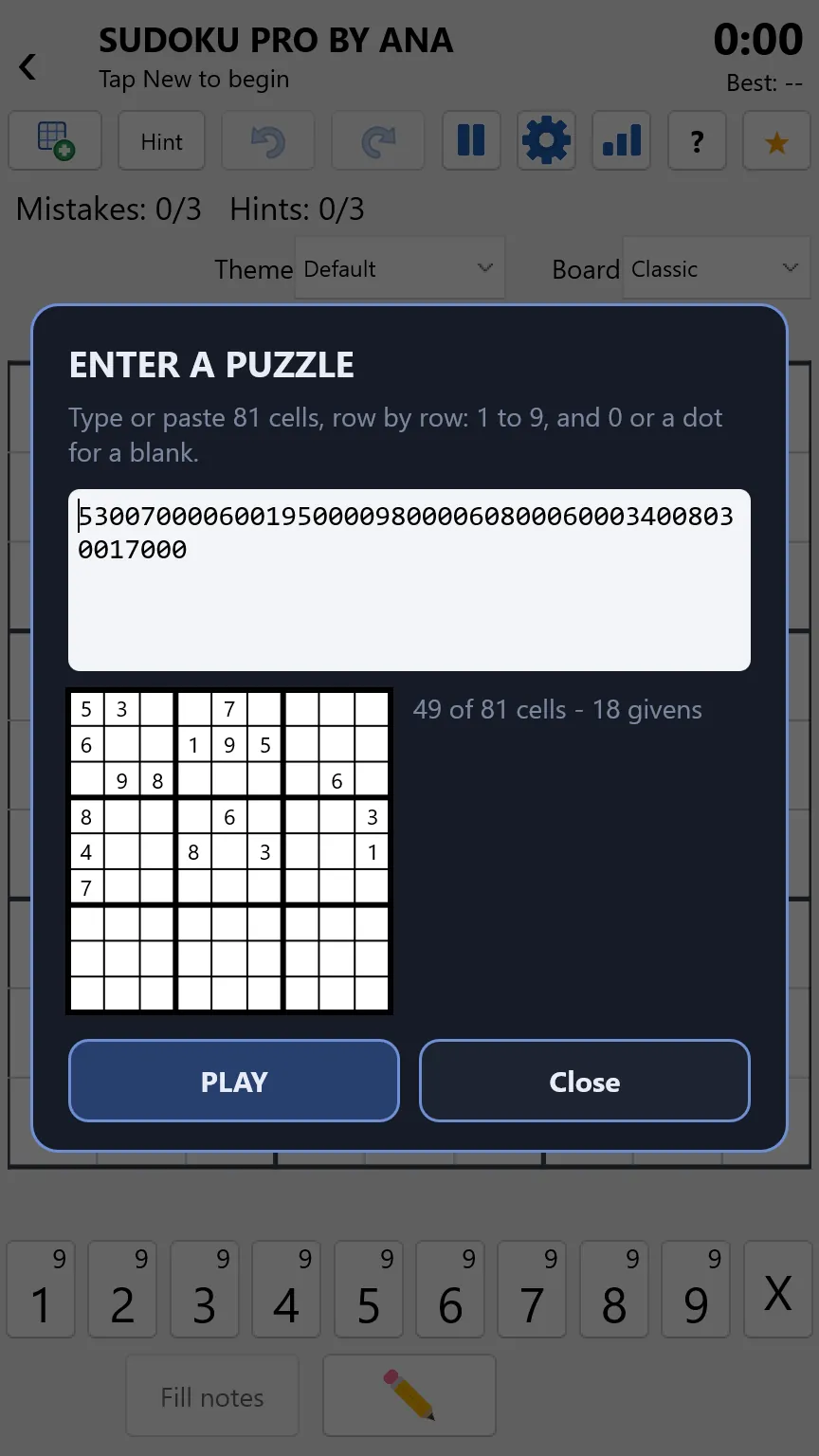
Your own puzzle (Pro): ENTER A PUZZLE on the start panel takes a puzzle from a book or a page. Type it or paste it, 81 cells row by row: 1 to 9, and 0 or a dot for a blank (spaces and grid lines are skipped). The board fills as you type. PLAY checks it has exactly one solution and says plainly what is wrong when it hasn't. Its level comes from the techniques it needs, and it plays like any other puzzle, with notes, hints and mistakes. Its code (9U-…) shares it. It never sets a best time, because you may know the answer.
Statistics (Pro: in full) — games, wins, best and average times, perfect games, streaks and charts per level, board and variant. History — every game (the free edition shows the last ten): replay it, review the final board, share its code, save it with a star. Achievements — 30 of them, from First win to Explorer (a daily of every variant); Pro shows when each was earned and how close the next is.
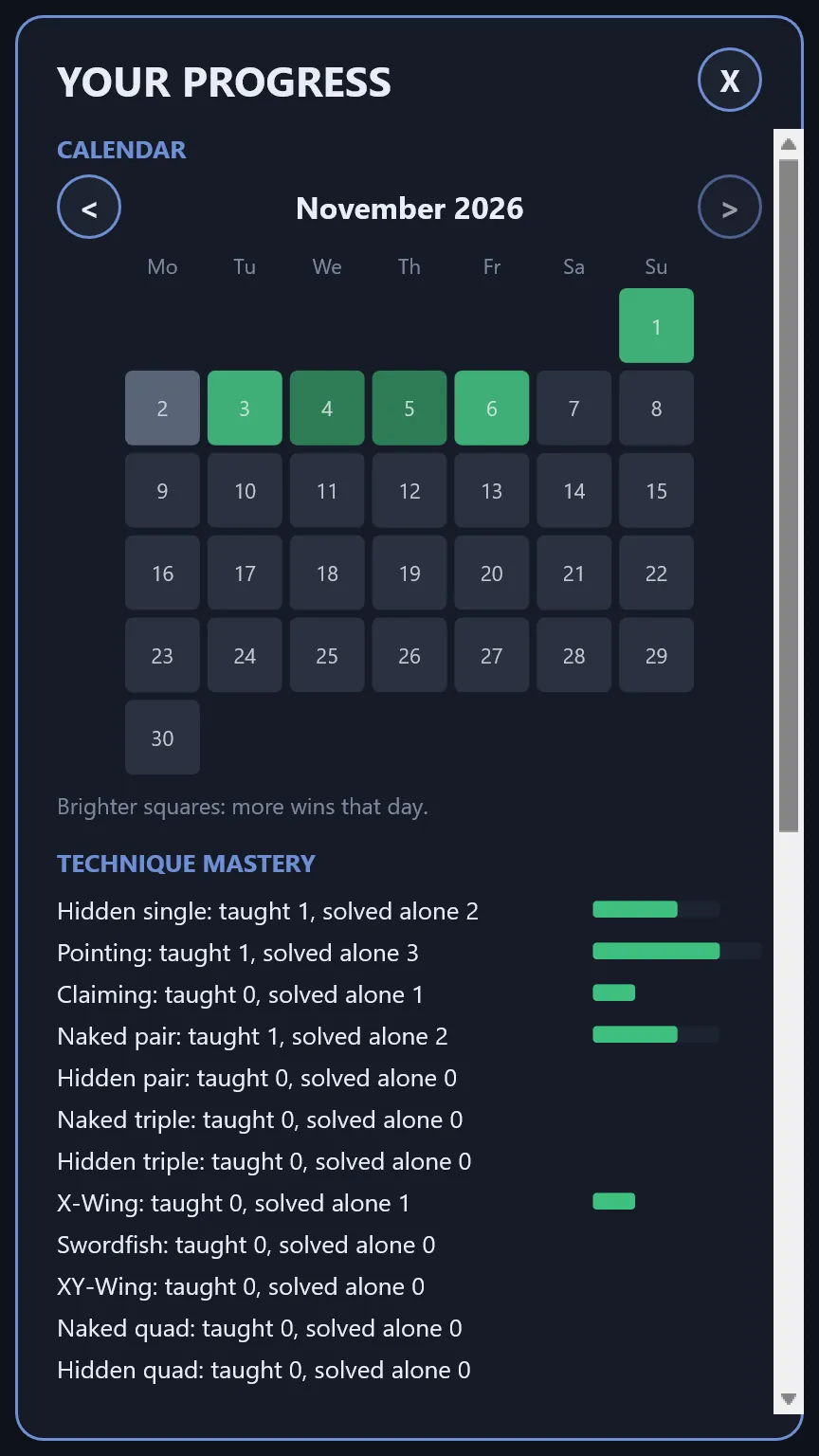
Your progress (Statistics → Your progress): a calendar of the days you played, brighter where you won more. The free edition shows this month; Pro pages back through every month. Pro adds technique mastery (how often a hint taught each technique, and how often you then solved a puzzle that needed it with no hint), records by variant (games, wins and the fastest time per level), and Your year in Sudoku, a picture of your last twelve months to share or save.
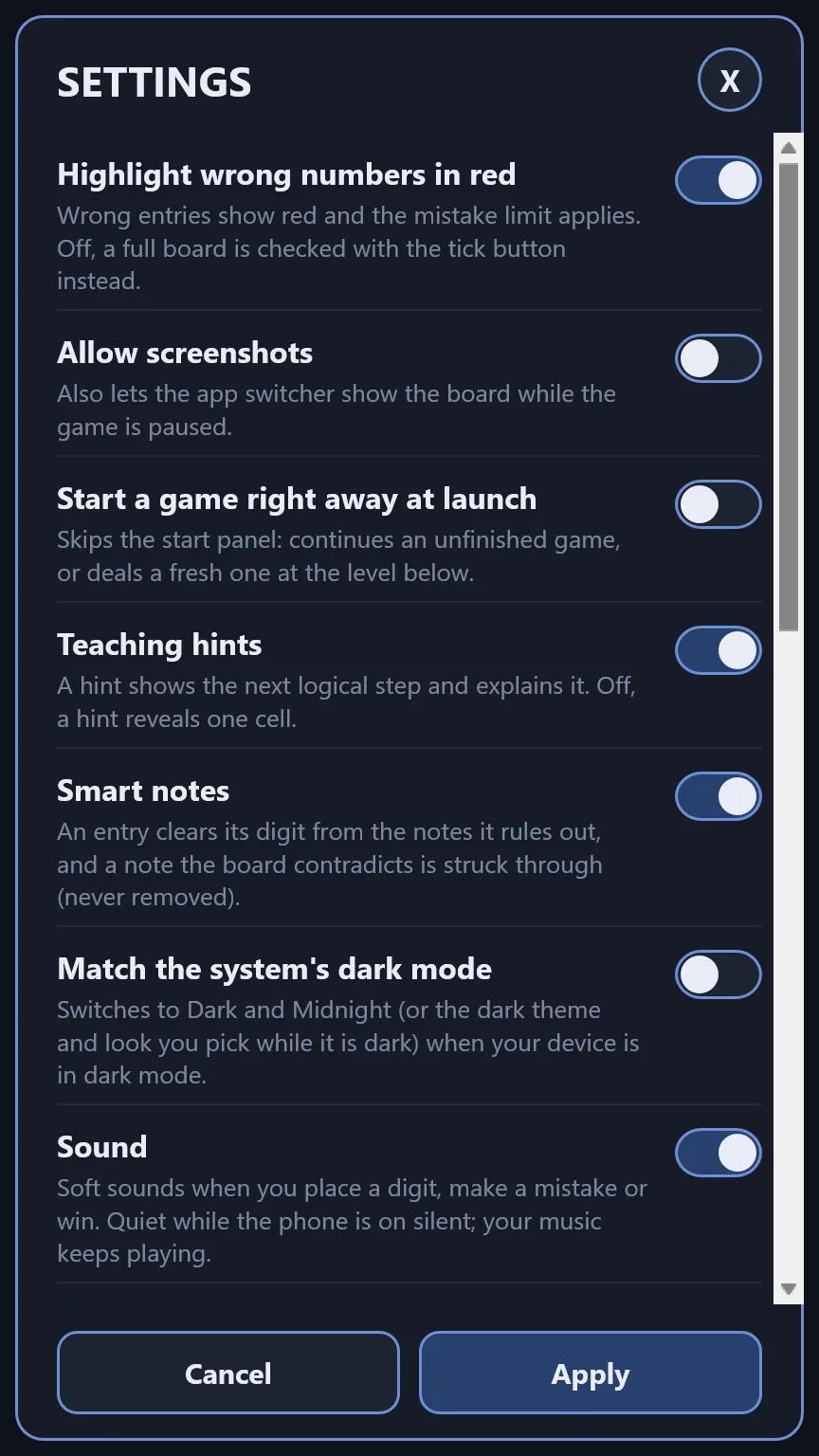
Settings: Highlight wrong numbers; Allow screenshots (Android: off hides the board from the app switcher); Start a game right away at launch; Teaching hints; Smart notes; Match the system's dark mode; Sound and Vibration; the default level; the language (English, Español, Português (Brasil), Deutsch, Français, Italiano, 日本語, 简体中文, 한국어, 繁體中文); the text size.
Looks: the Theme and Board pickers on the game screen — the free edition has the Default and Dark themes and the Classic, Midnight and High-Contrast boards (and can preview the others); Pro all ten themes and twelve boards.
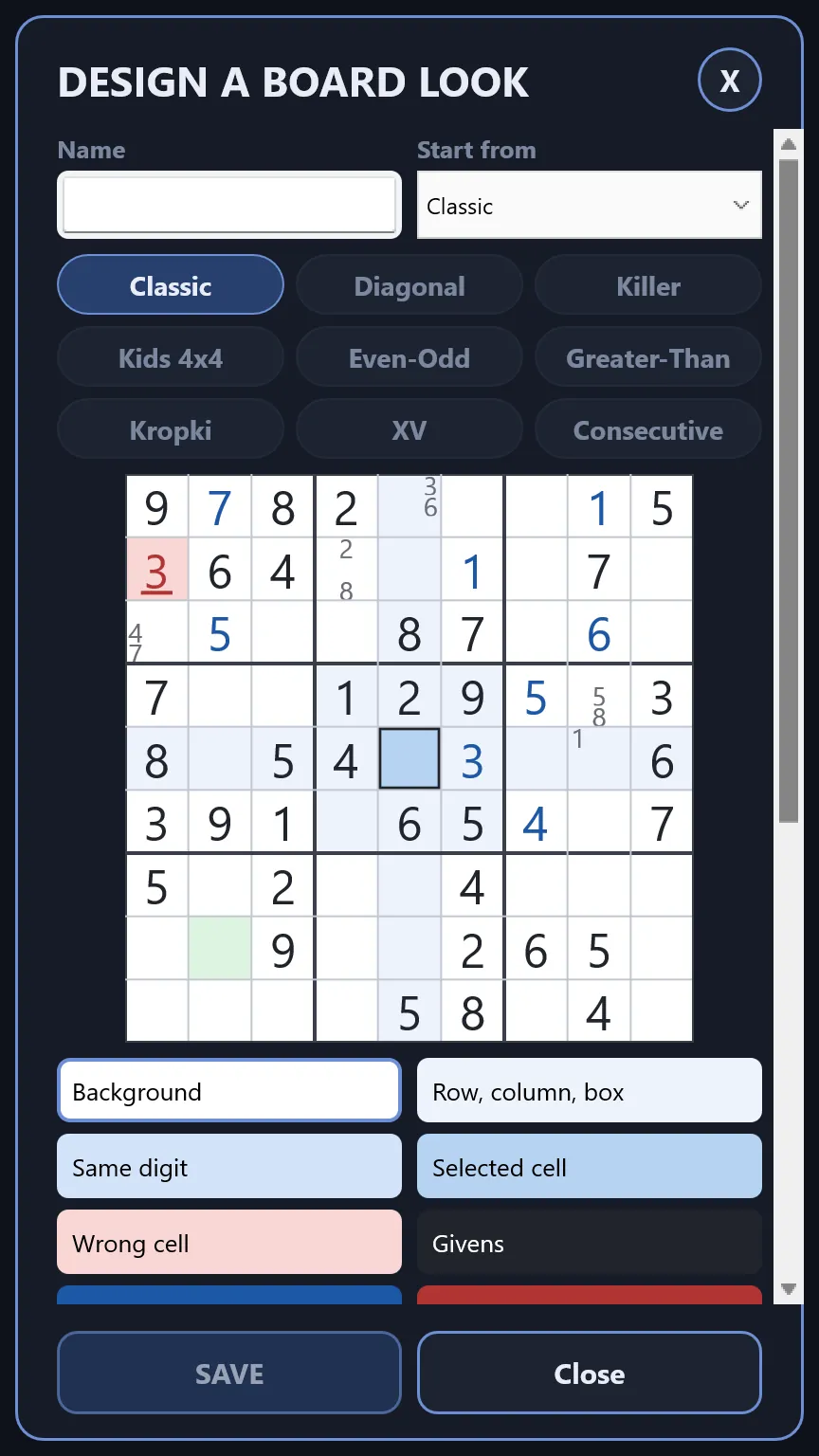
Your own board looks (Pro): Settings → Design a board look. Start from any look, tap a color to change it, and watch the board change. While a color is too faint against the one it sits on, the page names the pair and Save waits. Name it and save up to five; they appear in the Board picker and travel in your backup.
Settings → Export my data saves one file with your games, statistics, best times and settings — you choose where it goes. Import reads a backup and merges it with this device's games (a backup copied to the clipboard is found there first). That is how your history moves to a new phone, or from Sudoku by ANA into Sudoku Pro by ANA. On a computer the data lives in its own folder (%APPDATA%\AppsNoAds\Sudoku on Windows).
Backups are part of Sudoku Pro by ANA. The free version keeps two buttons, so nothing is lost when you move: Take my games to Pro saves the same file (open Pro, then Settings → Import), and Import from Simply Sudoku brings your games from the old app. A Sudoku by ANA backup offered to the free version's Import opens the card that says what is in Pro.
Coming from Simply Sudoku? Its last update has a Bring my games along button: tap it there, then Settings → Import here (in the free version, Import from Simply Sudoku). Your best times, statistics and unfinished game come along. Simply Sudoku never kept a list of past games, so there is none to bring.
| Sudoku by ANA (free) | Sudoku Pro by ANA (bought once) | |
|---|---|---|
| Games | 2 a day, today's puzzle included | unlimited |
| Levels | Easy, Medium | Easy to Expert |
| Boards and variants | 9x9, and one game of each Pro puzzle | 12x12, 16x16, Diagonal, Hyper, Killer, Samurai, Jigsaw, Mini, Even-Odd, Anti-Knight, Greater-Than, Kropki, Kids 4x4, XV, Consecutive, Non-Consecutive, Twodoku, Butterfly, Center Dot, Asterisk, Girandola; letters or shapes |
| Dailies | the classic daily | a daily for every board and variant, and the archive |
| Also | hints, the first four lessons, the last ten games, achievements, taking your games to Pro | every lesson, codes and custom games, collections, full statistics and history with move-by-move replay, certificates, every theme and board look, landscape, printing puzzles, backups to move your games between devices |
No ads in either. No subscription, no in-app purchases.
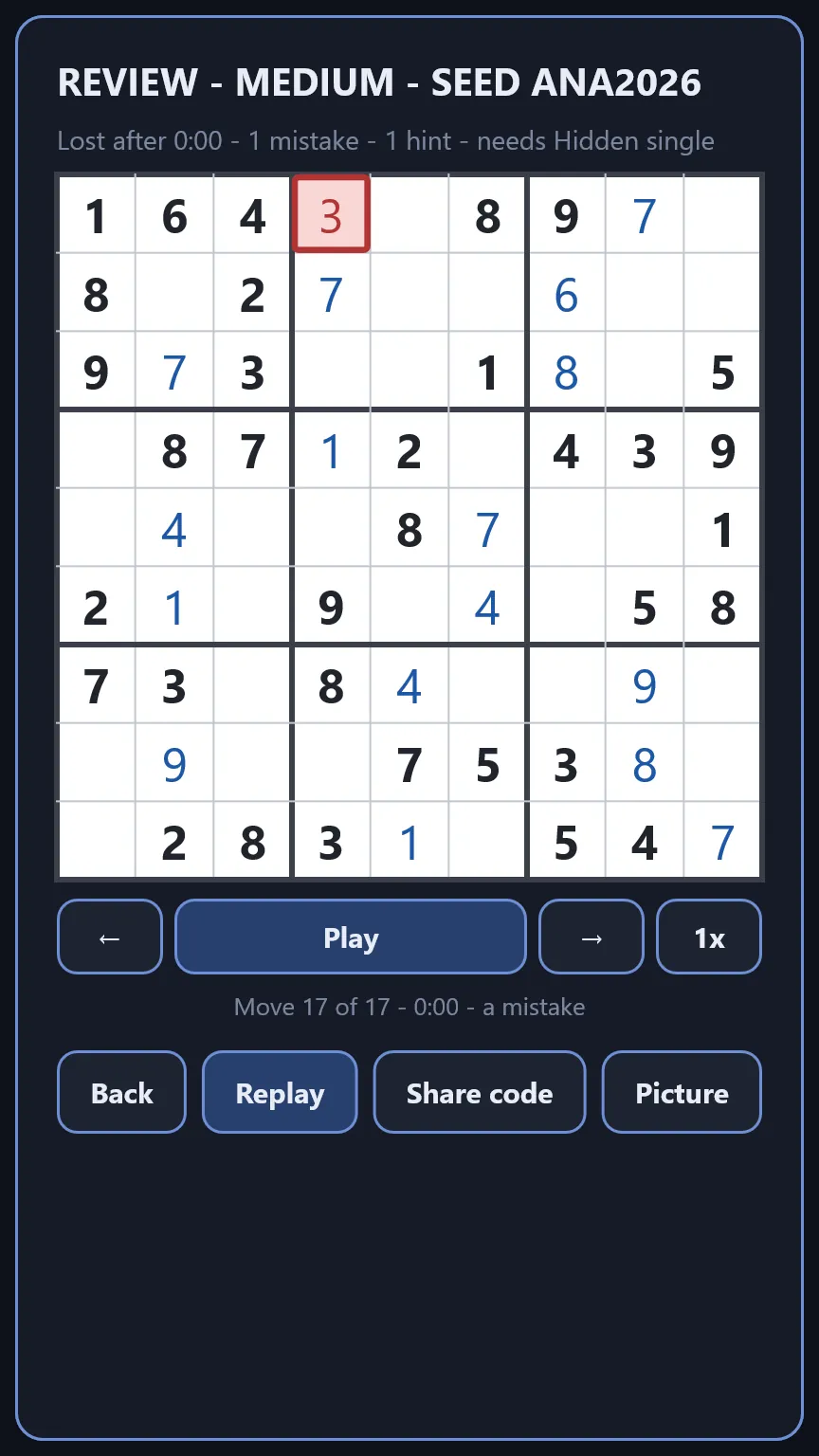
Replay (Pro). In History, tap a game, then Review. Under the board, Play shows the game again move by move, from the empty puzzle: ← and → step one move, the speed button goes 1x, 2x, 4x. The line under the buttons says which move it is, when you made it, and whether it was a hint or a mistake (that cell is outlined). The newest 100 games keep their moves, and every game you saved with a star. A game brought along from another app has no replay.
Sound (both editions, Settings): soft sounds when you place a digit, write a note, erase, undo, finish a row, column or box, open a hint, make a mistake or win - a longer one for Hard and Expert, its own for the daily and for an achievement, and a friendlier set on Kids 4x4; quiet whenever the phone is on silent, and your music keeps playing. Vibration (phones): a light tap for a digit, a buzz for a mistake, a pattern for a win.
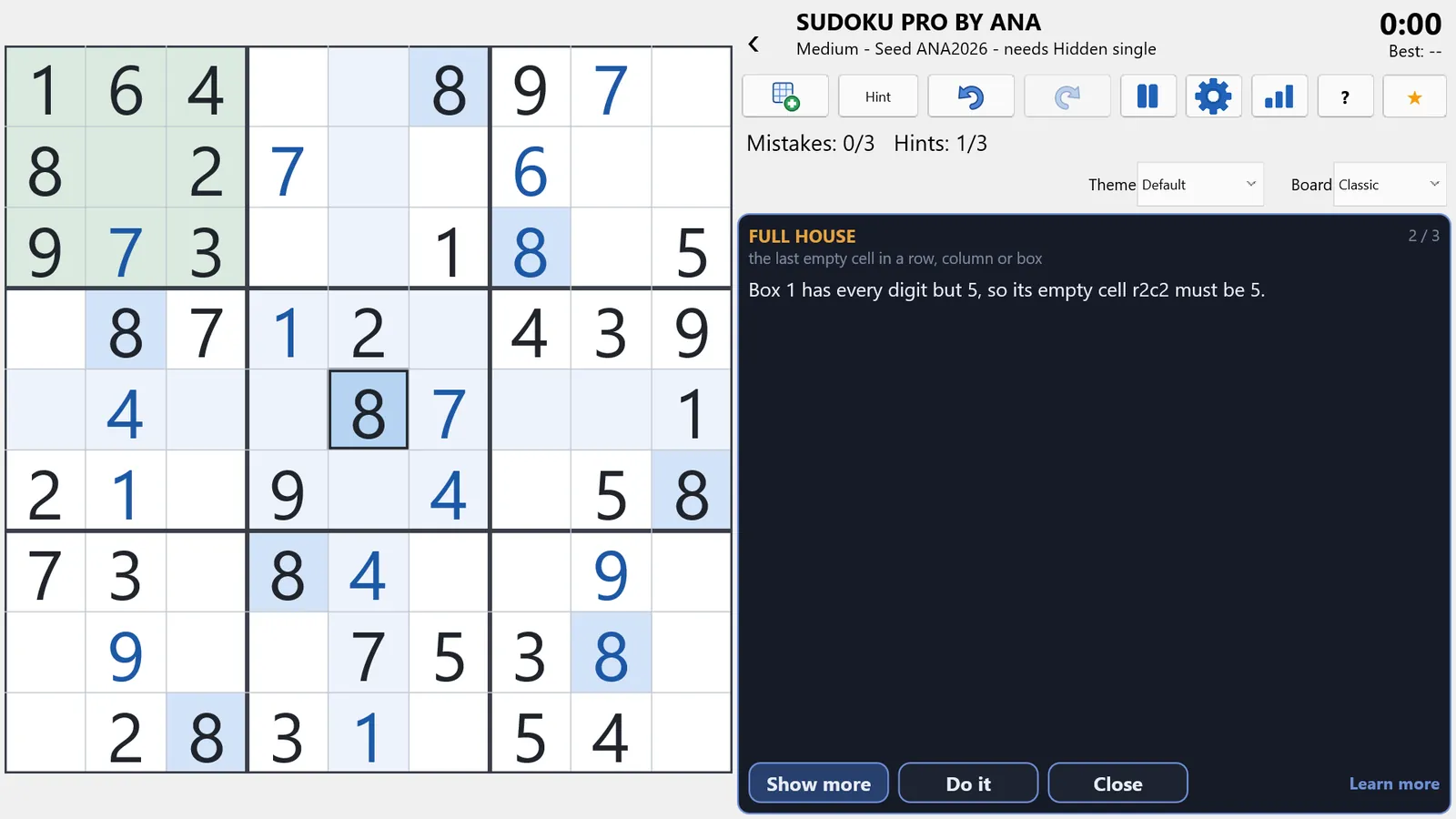
On a computer every page works without a mouse: Tab / Shift+Tab move through the controls (a ring shows where you are), the arrows move to the nearest one, Enter or Space press it, Esc goes back. On the board the arrows move the cell, digits enter (0–9 and A–F on 16x16), Delete erases, N notes, H hint, F fill notes, Ctrl+Z / Ctrl+Y undo and redo. Ctrl+H, Ctrl+F and Ctrl+N give a hint, fill notes and switch notes with any symbols - with letters on, plain H, F and N type letters (on a Mac, use Cmd). With a hint up, Enter steps through it.
With TalkBack or VoiceOver on, the app says the selected cell — "Row 3, column 4, empty, notes 2 and 5" — and reads out a win and each hint step. Playing by touch with a screen reader on is not possible yet; a keyboard works.
No ads, no accounts, no tracking. The app never connects to the internet: everything stays on your device, and nothing leaves it unless you share it (a code, a picture, a backup file) or write to Apps No Ads (Feedback opens your own mail app). The Play Store's Data Safety says No data collected; the App Store's privacy label says Data Not Collected.
Questions: appsnoads.com. Apps No Ads — quiet by design.